
Blog
Mikroservis CI/CD Pipeline Mimarisi: Her Servis İçin Bağımsız Deployment Stratejisi

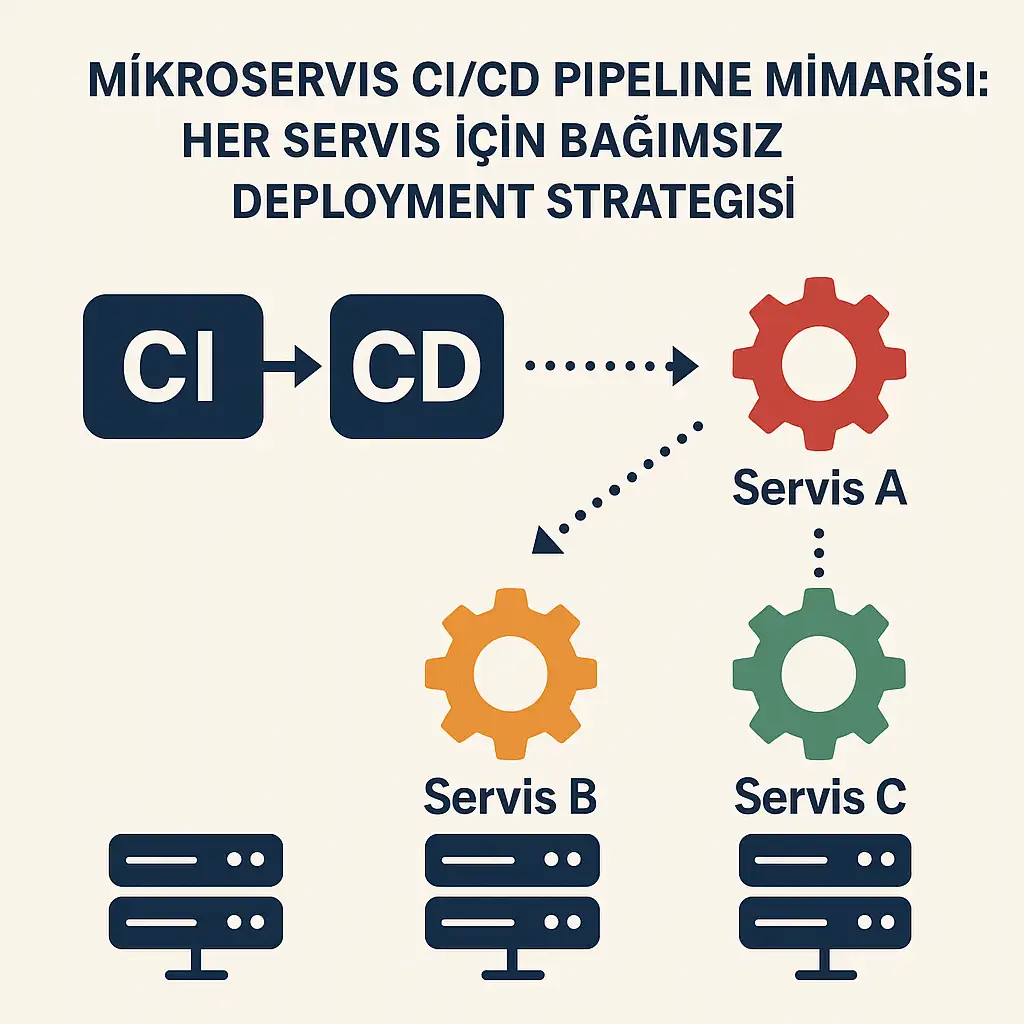
Mikroservis mimarisinde başarılı bir DevOps implementasyonu, her servisin bağımsız olarak geliştirilebilmesi, test edilebilmesi ve production’a deploy edilebilmesi ile mümkündür. Bu yazıda, production-ready mikroservis CI/CD pipeline’larının nasıl tasarlanacağını ve implement edileceğini detaylıca inceleyeceğiz.
Mikroservis CI/CD Pipeline’ının Temel Bileşenleri
1. Pipeline Mimarisi ve Tasarım Prensipleri
Geleneksel monolitik uygulamaların aksine, mikroservis mimarisinde her servis için ayrı bir CI/CD pipeline’ı kurgulamak kritik öneme sahiptir. Bu yaklaşımın temel avantajları:
- Bağımsız Deployment: Her servis kendi release cycle’ına sahip
- Hızlı Feedback: Küçük değişiklikler daha hızlı test edilir
- Risk Azaltma: Bir servisin hatası diğerlerini etkilemez
- Team Autonomy: Her team kendi hızında çalışabilir
2. Service-Specific Pipeline Stages
Validation Stage
validate:
  stage: validate
  script:
    - echo "Kod kalitesi kontrolleri başlatılıyor..."
    - pylint src/
    - black --check src/
    - isort --check-only src/
  only:
    changes:
      - "src/**/*"
      - "requirements.txt"
Test Pyramid Implementation
Mikroservis test stratejisi üç katmanlı test piramidi üzerine kurgulanmalıdır:
Unit Tests (%70): Her servisin iç mantığını test eder
unit-tests:
  stage: test
  script:
    - python -m pytest tests/unit/ --cov=src --cov-report=xml
    - coverage report --fail-under=80
  artifacts:
    reports:
      coverage_report:
        coverage_format: cobertura
        path: coverage.xml
Integration Tests (%20): Servisler arası API etkileşimlerini test eder
integration-tests:
  stage: integration-test
  services:
    - postgres:13
    - redis:6
  variables:
    POSTGRES_DB: test_db
    POSTGRES_USER: test_user
    POSTGRES_PASSWORD: test_pass
  script:
    - python -m pytest tests/integration/
End-to-End Tests (%10): Tam business workflow’larını test eder
e2e-tests:
  stage: e2e-test
  script:
    - docker-compose -f docker-compose.test.yml up -d
    - python -m pytest tests/e2e/
    - docker-compose -f docker-compose.test.yml down
3. Container Build ve Optimization Stratejileri
Multi-Stage Docker Builds
Mikroservis container’larının boyutunu minimize etmek ve güvenliği artırmak için multi-stage build pattern’i kullanın:
# Build Stage
FROM python:3.9-slim as builder
WORKDIR /app
COPY requirements.txt .
RUN pip install --user --no-cache-dir -r requirements.txt

# Production Stage
FROM python:3.9-slim
RUN adduser --disabled-password --gecos '' appuser
WORKDIR /app
COPY --from=builder /root/.local /home/appuser/.local
COPY --chown=appuser:appuser src/ ./src/
USER appuser
ENV PATH=/home/appuser/.local/bin:$PATH
EXPOSE 8000
CMD ["uvicorn", "src.main:app", "--host", "0.0.0.0", "--port", "8000"]
Container Image Versioning
Semantic versioning ile container image’larını yönetin:
build-image:
  stage: build
  script:
    - docker build -t $CI_REGISTRY_IMAGE:$CI_COMMIT_SHA .
    - docker build -t $CI_REGISTRY_IMAGE:latest .
    - docker push $CI_REGISTRY_IMAGE:$CI_COMMIT_SHA
    - docker push $CI_REGISTRY_IMAGE:latest
  only:
    - main
4. Deployment Strategies ve Blue-Green Pattern
Rolling Deployment
Kubernetes ortamında rolling deployment varsayılan strateji olarak güvenli bir seçenektir:
apiVersion: apps/v1
kind: Deployment
metadata:
  name: product-service
spec:
  replicas: 3
  strategy:
    type: RollingUpdate
    rollingUpdate:
      maxUnavailable: 1
      maxSurge: 1
  template:
    spec:
      containers:
      - name: product-service
        image: myregistry/product-service:v2.1.0
        ports:
        - containerPort: 8000
        livenessProbe:
          httpGet:
            path: /health
            port: 8000
          initialDelaySeconds: 30
          periodSeconds: 10
        readinessProbe:
          httpGet:
            path: /ready
            port: 8000
          initialDelaySeconds: 5
          periodSeconds: 5
Blue-Green Deployment
Sıfır downtime için blue-green deployment stratejisi:
deploy-blue-green:
  stage: deploy
  script:
    - kubectl apply -f k8s/blue-deployment.yaml
    - kubectl wait --for=condition=available deployment/product-service-blue
    - kubectl patch service product-service -p '{"spec":{"selector":{"version":"blue"}}}'
    - kubectl delete deployment product-service-green --ignore-not-found
  environment:
    name: production
    url: https://api.mycompany.com
5. Monitoring ve Observability Integration
Health Check Implementation
Her mikroservis mutlaka health check endpoint’leri sağlamalıdır:
@app.get("/health")
async def health_check():
    return {
        "status": "healthy",
        "timestamp": datetime.utcnow().isoformat(),
        "version": os.getenv("APP_VERSION", "unknown")
    }

@app.get("/ready")
async def readiness_check():
    # Database bağlantısı kontrol et
    try:
        await database.execute("SELECT 1")
        return {"status": "ready"}
    except Exception:
        raise HTTPException(status_code=503, detail="Database not ready")
Metrics Collection
Prometheus metrics entegrasyonu:
from prometheus_client import Counter, Histogram, generate_latest

REQUEST_COUNT = Counter('http_requests_total', 'Total HTTP requests', ['method', 'endpoint'])
REQUEST_DURATION = Histogram('http_request_duration_seconds', 'HTTP request duration')

@app.middleware("http")
async def metrics_middleware(request: Request, call_next):
    start_time = time.time()
    response = await call_next(request)
    duration = time.time() - start_time

    REQUEST_COUNT.labels(method=request.method, endpoint=request.url.path).inc()
    REQUEST_DURATION.observe(duration)

    return response
6. Security Best Practices
Container Security Scanning
Pipeline’a güvenlik taraması entegre edin:
security-scan:
  stage: security
  image: aquasec/trivy:latest
  script:
    - trivy image --exit-code 1 --severity HIGH,CRITICAL $CI_REGISTRY_IMAGE:$CI_COMMIT_SHA
  allow_failure: false
Secret Management
Kubernetes secrets ile hassas bilgileri yönetin:
apiVersion: v1
kind: Secret
metadata:
  name: product-service-secrets
type: Opaque
data:
  database-url: <base64-encoded-url>
  api-key: <base64-encoded-key>
---
apiVersion: apps/v1
kind: Deployment
spec:
  template:
    spec:
      containers:
      - name: product-service
        env:
        - name: DATABASE_URL
          valueFrom:
            secretKeyRef:
              name: product-service-secrets
              key: database-url
7. Performance Optimization ve Auto-Scaling
Horizontal Pod Autoscaler
Trafik yoğunluğuna göre otomatik ölçeklendirme:
apiVersion: autoscaling/v2
kind: HorizontalPodAutoscaler
metadata:
  name: product-service-hpa
spec:
  scaleTargetRef:
    apiVersion: apps/v1
    kind: Deployment
    name: product-service
  minReplicas: 2
  maxReplicas: 20
  metrics:
  - type: Resource
    resource:
      name: cpu
      target:
        type: Utilization
        averageUtilization: 70
  - type: Resource
    resource:
      name: memory
      target:
        type: Utilization
        averageUtilization: 80
8. Complete Pipeline Example
Tüm bileşenleri bir araya getiren complete GitLab CI/CD pipeline örneği:
stages:
  - validate
  - test
  - integration-test
  - security-scan
  - build
  - deploy-staging
  - smoke-tests
  - deploy-production
  - post-deployment

variables:
  DOCKER_DRIVER: overlay2
  DOCKER_TLS_CERTDIR: "/certs"

# Validation Stage
code-quality:
  stage: validate
  image: python:3.9-slim
  script:
    - pip install pylint black isort
    - pylint src/
    - black --check src/
    - isort --check-only src/
  only:
    changes:
      - "src/**/*"
      - "requirements.txt"

# Test Stages
unit-tests:
  stage: test
  image: python:3.9-slim
  services:
    - postgres:13
  variables:
    POSTGRES_DB: test_db
    POSTGRES_USER: test_user
    POSTGRES_PASSWORD: test_pass
    DATABASE_URL: "postgresql://test_user:test_pass@postgres:5432/test_db"
  script:
    - pip install -r requirements.txt
    - python -m pytest tests/unit/ --cov=src --cov-report=xml
  artifacts:
    reports:
      coverage_report:
        coverage_format: cobertura
        path: coverage.xml

integration-tests:
  stage: integration-test
  image: python:3.9-slim
  services:
    - postgres:13
    - redis:6
  variables:
    POSTGRES_DB: integration_db
    POSTGRES_USER: int_user
    POSTGRES_PASSWORD: int_pass
    REDIS_URL: "redis://redis:6379"
  script:
    - pip install -r requirements.txt
    - python -m pytest tests/integration/

# Security Scanning
security-scan:
  stage: security-scan
  image: aquasec/trivy:latest
  script:
    - trivy fs --exit-code 1 --severity HIGH,CRITICAL .
  allow_failure: false

# Build Stage
build-docker-image:
  stage: build
  image: docker:20.10.16
  services:
    - docker:20.10.16-dind
  before_script:
    - docker login -u $CI_REGISTRY_USER -p $CI_REGISTRY_PASSWORD $CI_REGISTRY
  script:
    - docker build -t $CI_REGISTRY_IMAGE:$CI_COMMIT_SHA .
    - docker build -t $CI_REGISTRY_IMAGE:latest .
    - docker push $CI_REGISTRY_IMAGE:$CI_COMMIT_SHA
    - docker push $CI_REGISTRY_IMAGE:latest
  only:
    - main

# Staging Deployment
deploy-staging:
  stage: deploy-staging
  image: bitnami/kubectl:latest
  script:
    - kubectl config use-context staging-cluster
    - sed -i "s|IMAGE_TAG|$CI_COMMIT_SHA|g" k8s/staging/deployment.yaml
    - kubectl apply -f k8s/staging/
    - kubectl rollout status deployment/product-service -n staging
  environment:
    name: staging
    url: https://staging-api.mycompany.com
  only:
    - main

# Smoke Tests
smoke-tests:
  stage: smoke-tests
  image: python:3.9-slim
  script:
    - pip install requests
    - python tests/smoke/test_staging.py
  only:
    - main

# Production Deployment
deploy-production:
  stage: deploy-production
  image: bitnami/kubectl:latest
  script:
    - kubectl config use-context production-cluster
    - sed -i "s|IMAGE_TAG|$CI_COMMIT_SHA|g" k8s/production/deployment.yaml
    - kubectl apply -f k8s/production/
    - kubectl rollout status deployment/product-service -n production
  environment:
    name: production
    url: https://api.mycompany.com
  when: manual
  only:
    - main

# Post-deployment Tests
post-deployment-tests:
  stage: post-deployment
  image: python:3.9-slim
  script:
    - pip install requests
    - python tests/smoke/test_production.py
  only:
    - main
Sonuç ve Best Practices
Mikroservis CI/CD pipeline’larının başarılı implementasyonu için şu noktaları göz önünde bulundurun:
🎯 Kritik Başarı Faktörleri:
- Bağımsızlık: Her servis kendi pipeline’ına sahip olmalı
- Automation: Manuel süreçleri minimize edin
- Testing: Kapsamlı test stratejisi uygulayın
- Monitoring: Pipeline ve uygulama performansını izleyin
- Security: Her aşamada güvenlik kontrollerini entegre edin
📊 Ölçüm Metrikleri:
- Deployment Frequency: Günlük deployment sayısı
- Lead Time: Kod commit’ten production’a geçiş süresi
- Mean Time to Recovery (MTTR): Hata durumunda iyileşme süresi
- Change Failure Rate: Deployment başarısızlık oranı
🚀 Gelecek Adımlar:
- GitOps workflow’larının implementasyonu
- Progressive delivery stratejilerinin uygulanması
- Chaos engineering testlerinin pipeline’a entegrasyonu
- AI/ML tabanlı anomali tespiti
Mikroservis mimarisinde DevOps implementasyonu, doğru planlama ve execution ile organizasyonların delivery hızını artırırken risk seviyesini düşürmesine olanak sağlar. Bu rehberde sunulan pratikler, production-ready mikroservis CI/CD pipeline’larının kurulması için solid bir foundation oluşturmaktadır.
Related Posts

DevOps Nedir?
-
Posted by
Serebellum